How Broccoli Creates a Customer in ServiceTitan
Last updated: June 3, 2026
When a customer calls in, Broccoli's AI agent follows a structured lookup process before creating any new record. The goal is to match the caller to an existing customer in ServiceTitan whenever possible, and only create a new record when no match is found.
Step 1: Check Caller ID (Phone Number Lookup)
The first thing the agent does when a call comes in is check the caller's phone number against ServiceTitan.
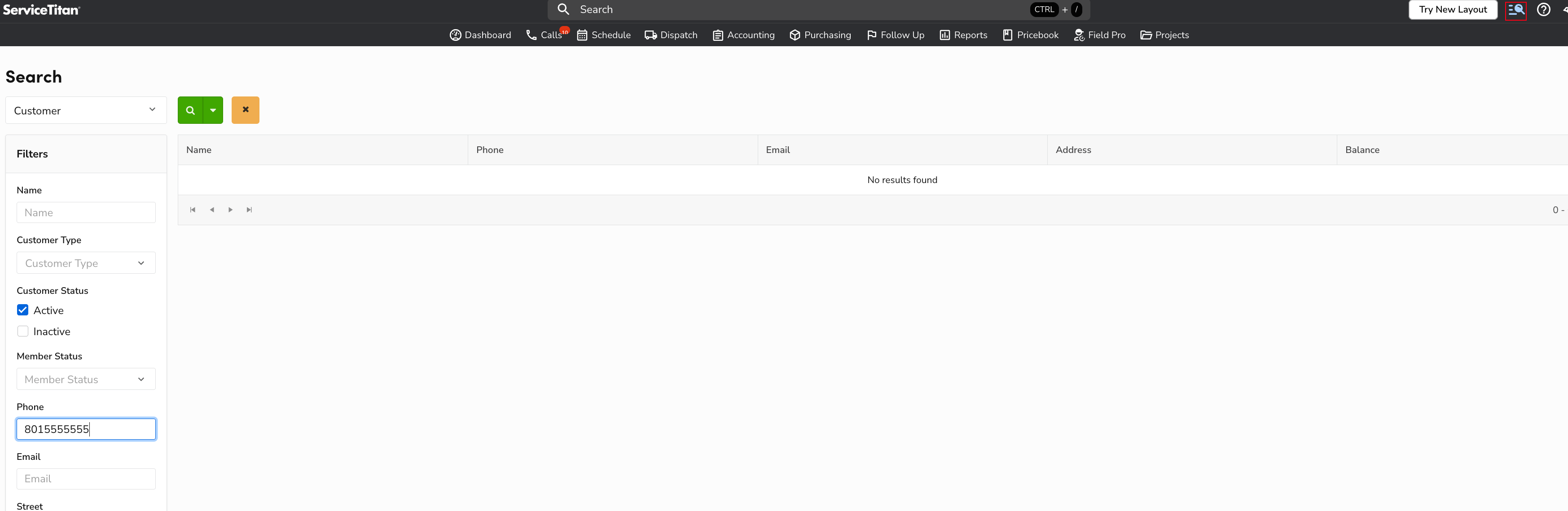
ServiceTitan's customer search allows filtering by phone number. If the incoming caller ID matches a phone number already on file, the agent identifies the existing customer and proceeds with that record — no new customer is created.
Example — searching by phone number in ServiceTitan:
ServiceTitan phone number search showing no results for 8015555555
Step 2: Check Address (If No Phone Match)
If the caller ID does not return a matching customer, the agent does ask the caller for their service address and searches ServiceTitan by that address.
This handles cases where:
The customer is calling from a different number than what is on file
The caller ID was unavailable or blocked
If an address match is found, the agent links the call to that existing customer record. If the customer has multiple addresses on file, the agent selects the address that matches what the caller provided.
Step 3: Create a New Customer (If No Match Found)
If neither the phone number nor the address returns a match in ServiceTitan, the agent creates a new customer record using the information provided by the caller (name, phone number, address, etc.).